
Introducing Improved Requirements
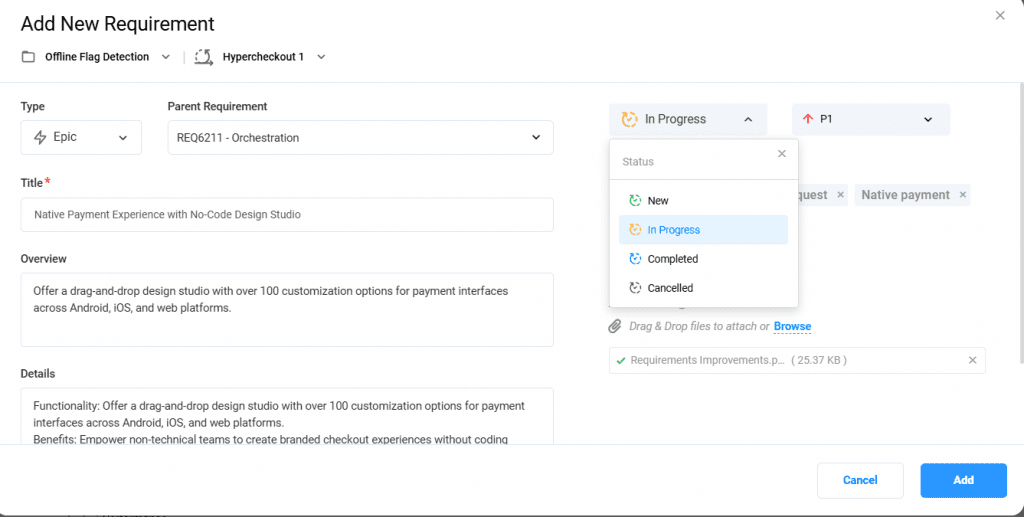
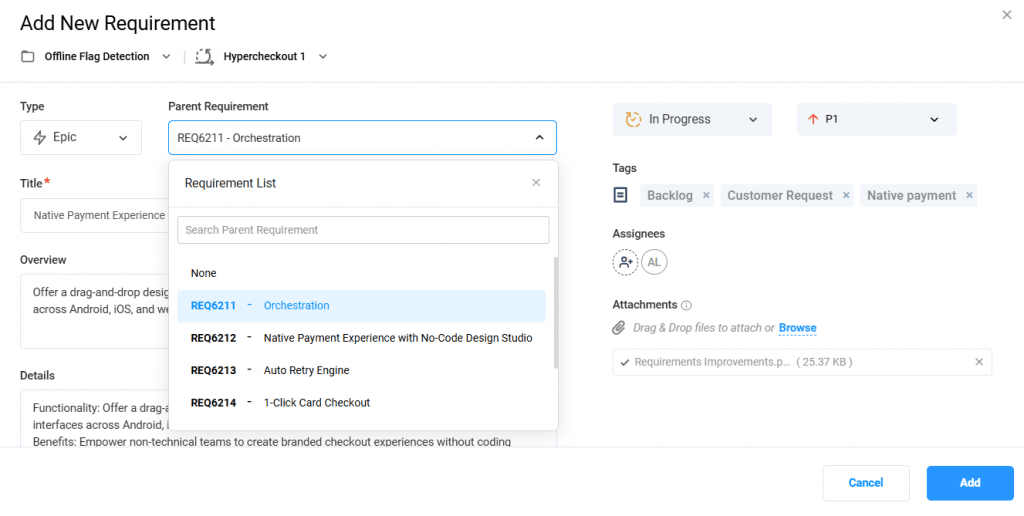
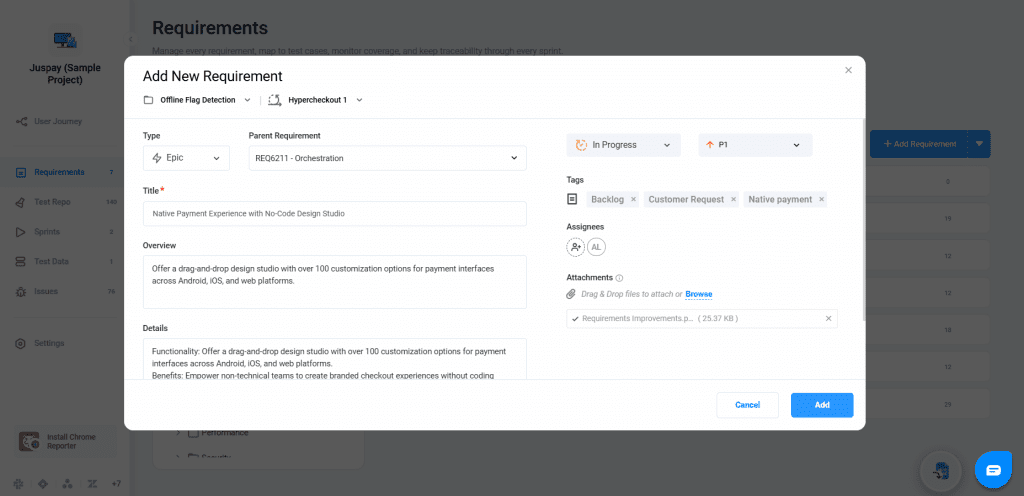
Capturing requirements in Bugasura is now more complete and structured. The Requirement modal has been enhanced with new fields such as Type, Status, Overview, and Parent Requirement linking. These improvements help teams document clearer, more traceable requirements without changing the familiar workflow.
Introduction to the Improved Requirements
The earlier Requirement modal offered only basic fields and lacked clarity around requirement type, status, and hierarchy. With limited structure and inconsistent spacing, teams often struggled to capture complete information in one place. The improved modal now brings richer fields, better layout logic, and clearer contextual cues for every requirement.
Why Use Improved Requirements?
● Better clarity while creating requirements with added fields
● Improved traceability using parent requirement linking
● Consistent structure for documenting problem statements and acceptance criteria
● Reduced manual effort when organizing or updating requirement details
How It Works
Open the Add Requirement and enter the Title, Sprint, and Folder with the requirement type.
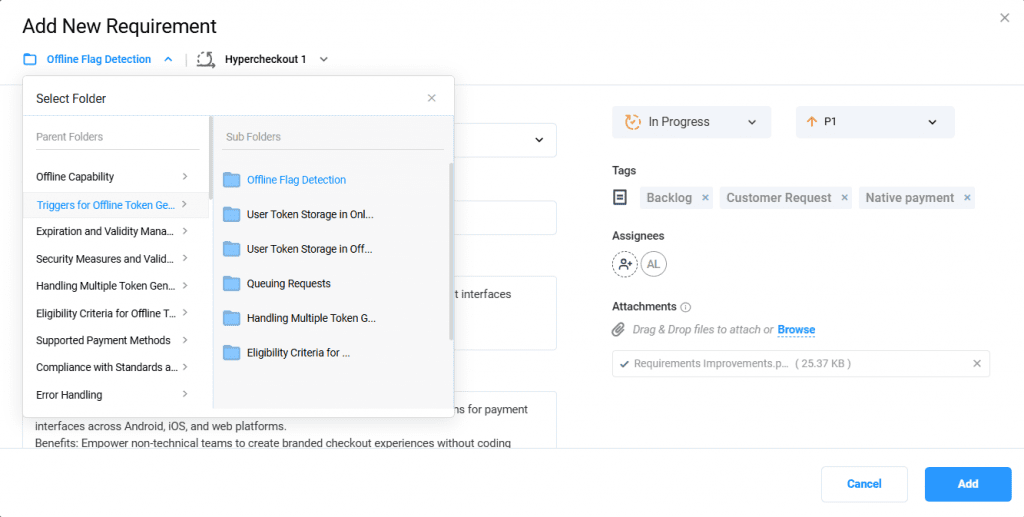
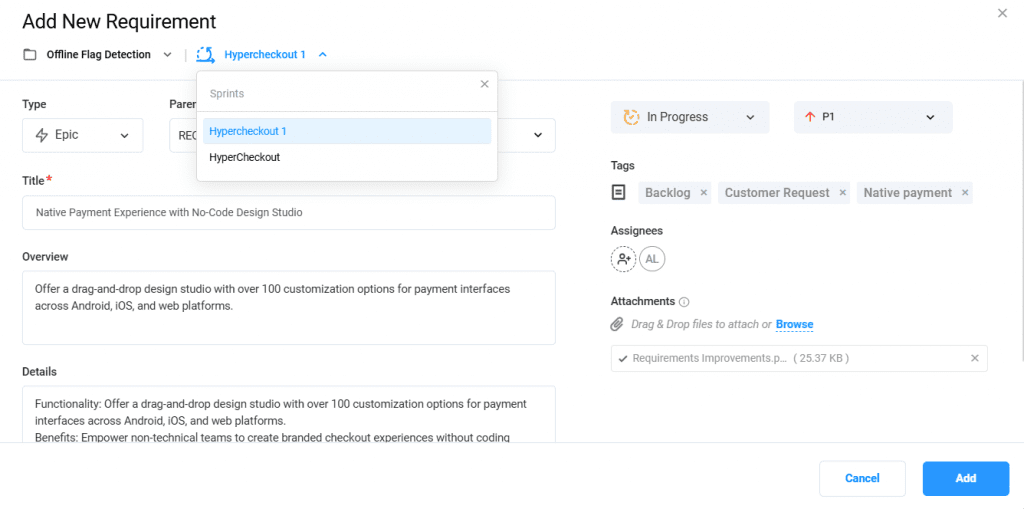
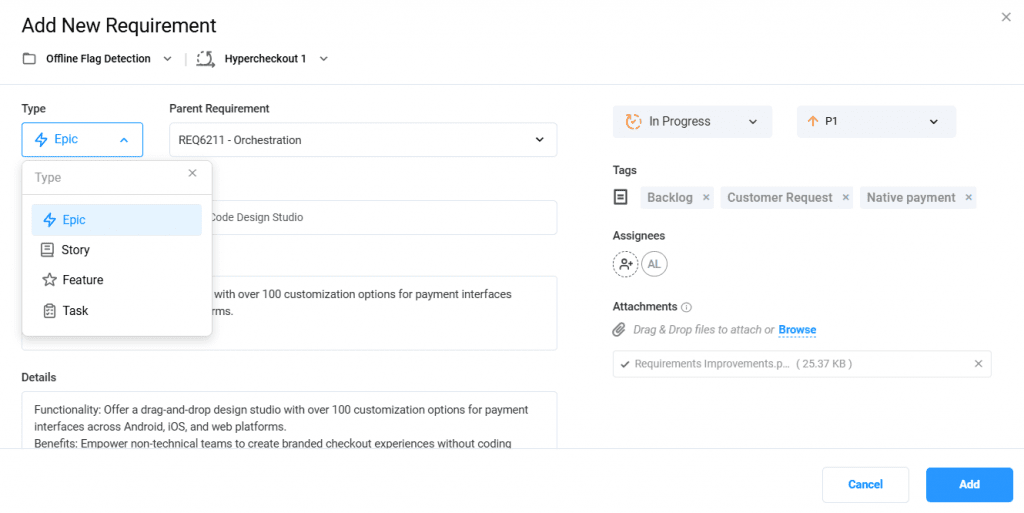
Add a brief Overview and fill in key details like Problem Statement, Module, and Acceptance Criteria. Set the Status and link a Parent Requirement to define hierarchy. Use existing fields such as Priority, Severity, Assignee, Tags, and Attachments, now with better UI.