
Full Traceability, Right Inside Your Sprint
You’re wrapping up a sprint. Everything looks green on the surface — test cases ran, bugs were logged. But somewhere in the middle, a requirement never got a test case assigned to it. No one caught it. It slipped through. And by the time you noticed, it was already in production. Traceability shouldn’t be a manual spreadsheet exercise at the end of a sprint. It should be right there, in your sprint, while it still matters.
Introducing Sprint RTM
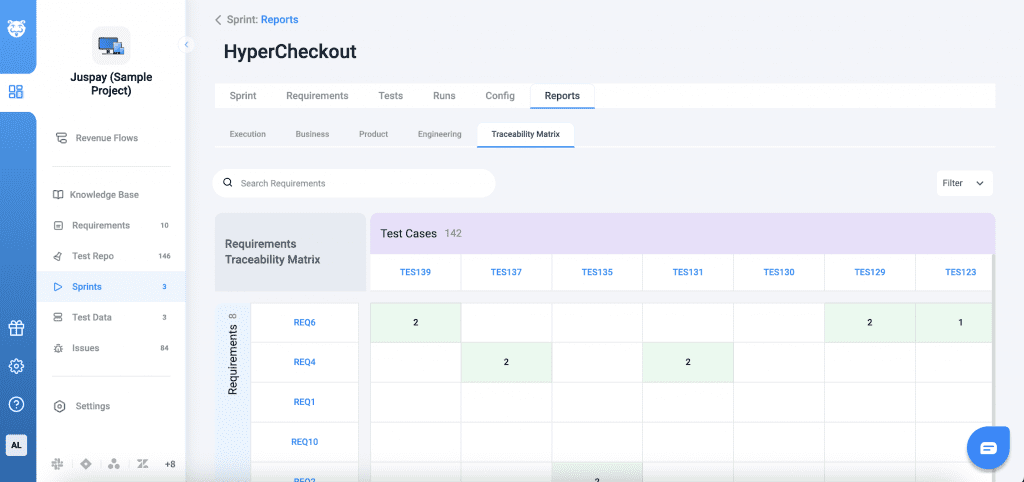
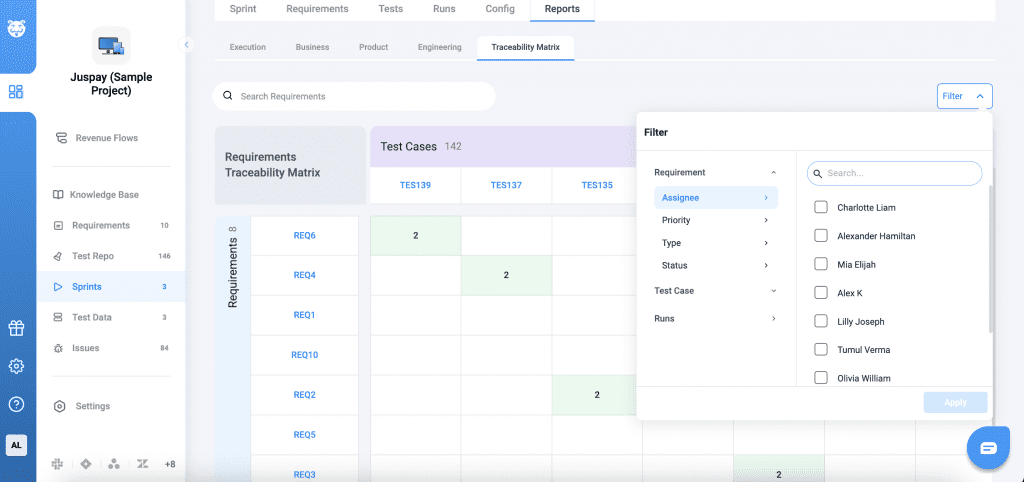
Sprint RTM gives you a full Requirements Traceability Matrix directly inside your Sprint Reports. For every requirement in the sprint, you can instantly see which test cases are linked, which bugs are tied to it, and where the gaps are — all in one visual matrix. No more hunting across tabs or building your own coverage reports.
Why This Matters
- Coverage gaps show up instantly — green cells for mapped, grey for mapped but no execution, white for unmapped, no guesswork.
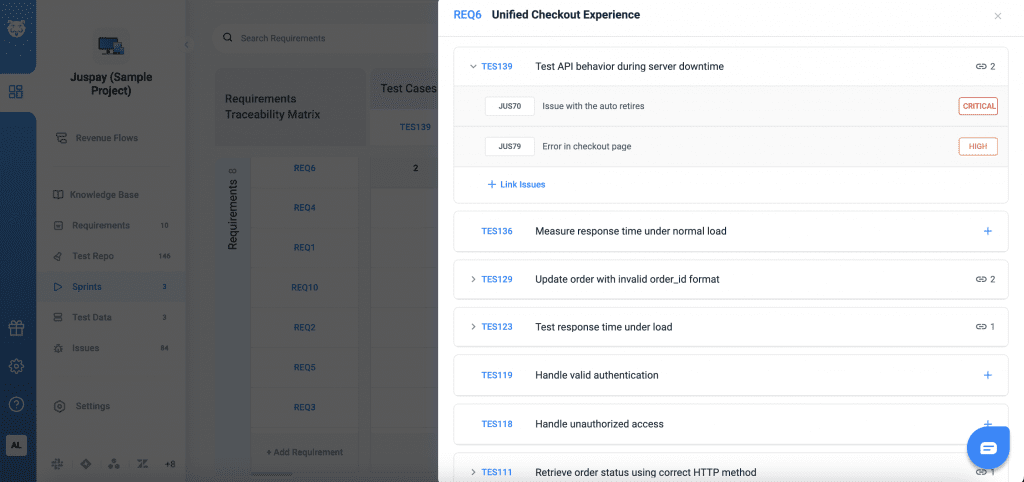
- Drill into any number and a side drawer opens with the full list of linked test cases and bugs.
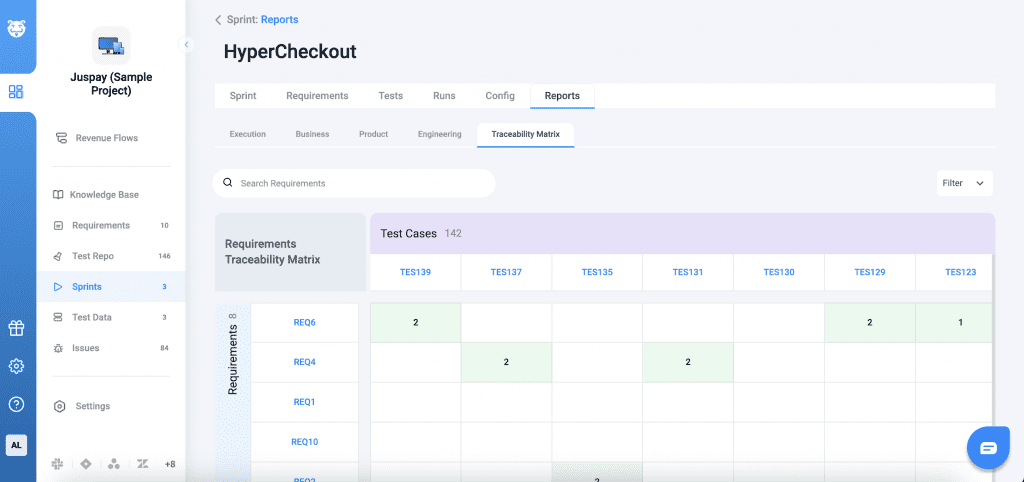
- Filter by status, module, or assignee to zero in on what your team owns.
- Requirements with all-passing test cases show a tick mark — you know it’s clean at a glance.
How To Use It
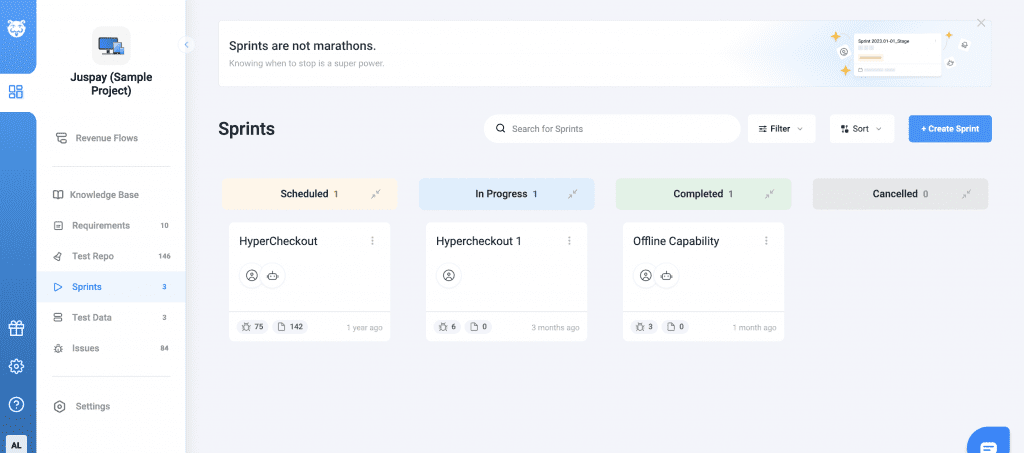
Open a sprint report from the sprint page.
Click the Traceability tab. it appears only when the sprint has requirements, test cases, or bugs. Use filters or search to narrow down by ID or name.
Click any cell in the matrix to open the detail drawer and see exactly what’s linked.