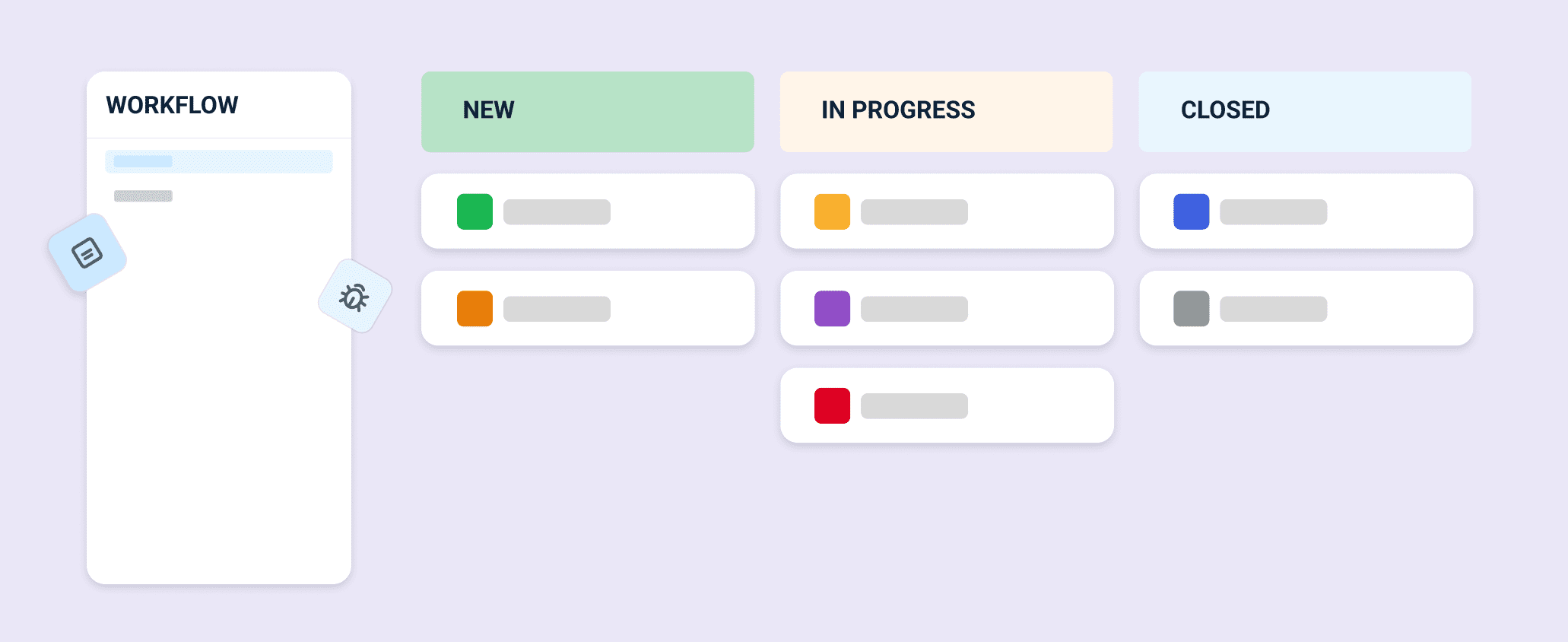
Custom Workflow for Requirements
Managing requirements is now more flexible. You can configure workflows that match your team’s process instead of relying on a fixed, system-defined flow.
What’s New?
Previously, requirements followed a predefined workflow with no customization. This made it harder for teams to align requirement tracking with their internal processes. With this update, you can define, manage, and visualize custom requirement workflows, similar to Issue Custom Workflows.
Why It Matters
- Process Alignment: Match requirement tracking to your team’s real workflow
- Better Visibility: Clearly see where each requirement stands
- Improved Control: Design workflows that scale with your projects
- Consistency: Unified workflow behavior across all requirement views
How It Works
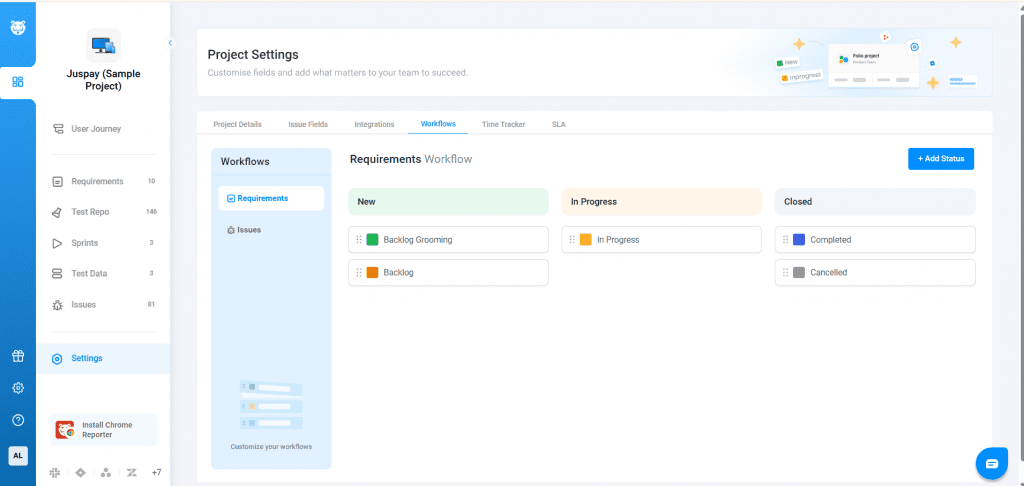
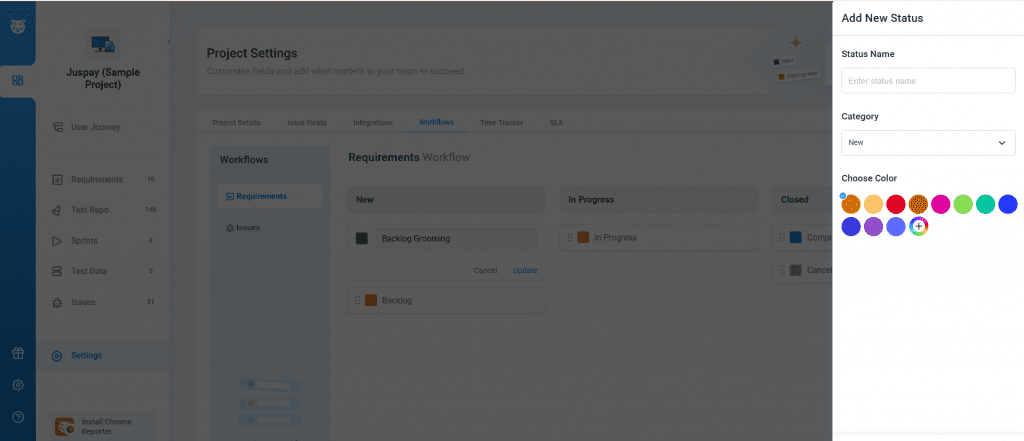
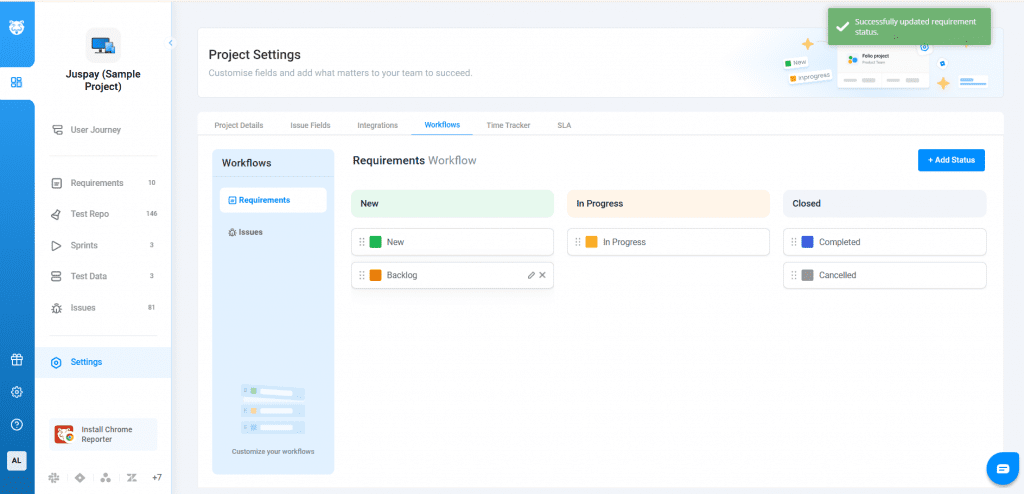
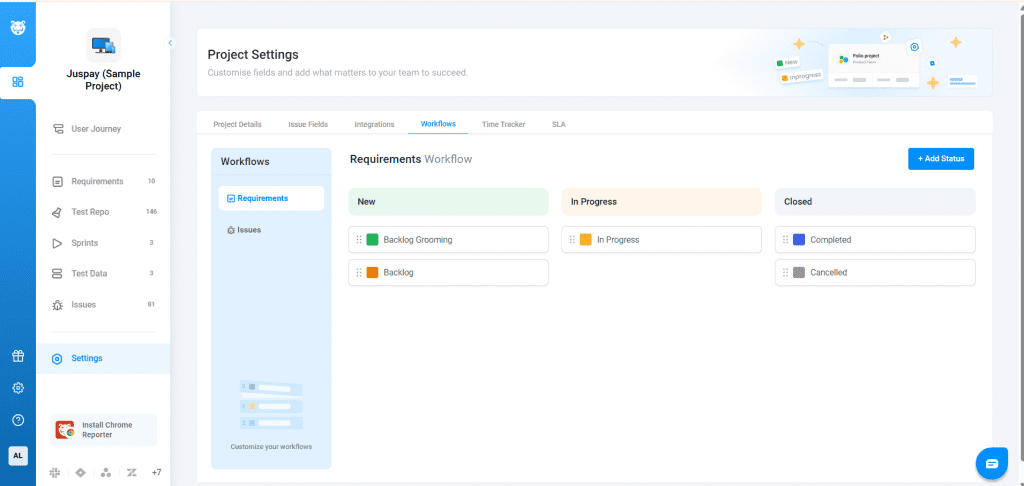
Go to Project Settings → Workflows → Requirements. Start with a default workflow of New, In Progress, and Closed. From there, add, remove, and color-code statuses to match your process. Reorder or move statuses across boards with drag and drop.