
Simplified Imports with Unified Field Mapping
Importing issues into Bugasura is now easier and more predictable. We’ve improved the field mapping experience for Issue imports, reducing manual effort and ensuring a smooth setup during import.
Introducing Unified Field Mapping
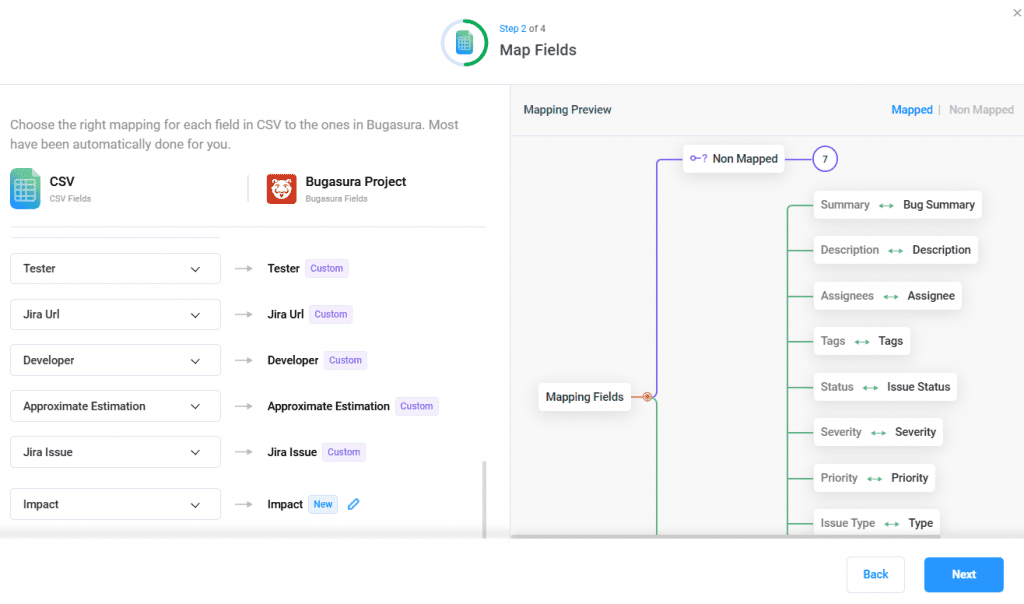
With this update, the field mapping flow for Issue imports via JIRA, CSV, and Excel automatically handles new and unmapped fields. Newly created fields are clearly identified, helping teams complete imports without additional configuration.
Why Use Unified Field Mapping?
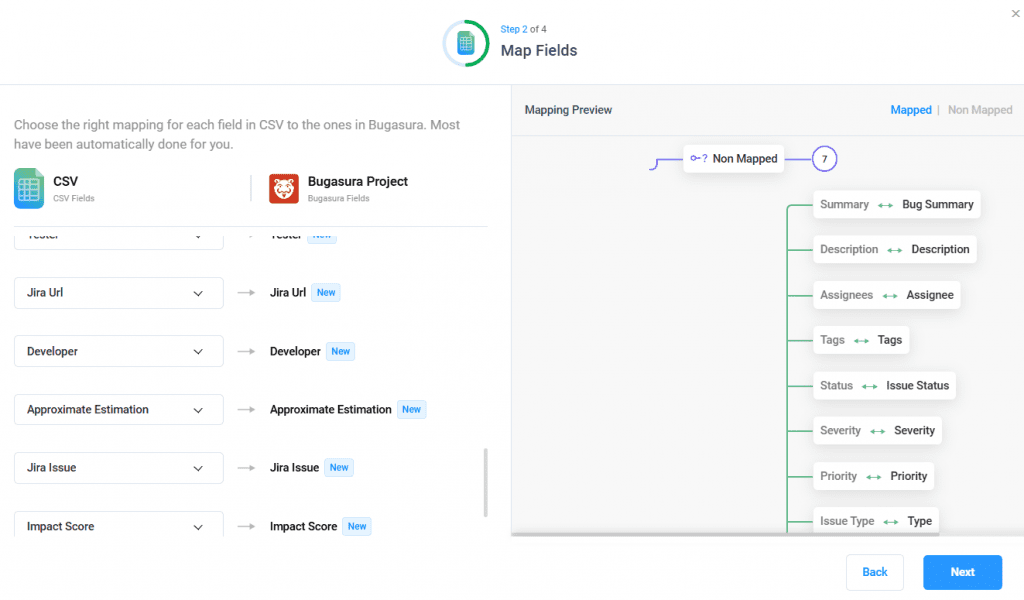
● Clear Visibility: Newly created fields during import are marked with a “New” label.
● Less Manual Work: Any unmapped custom field is automatically created during the import process.
● Safer Imports: Newly created fields cannot be deleted from the import pop-up, reducing the risk of accidental data issues.
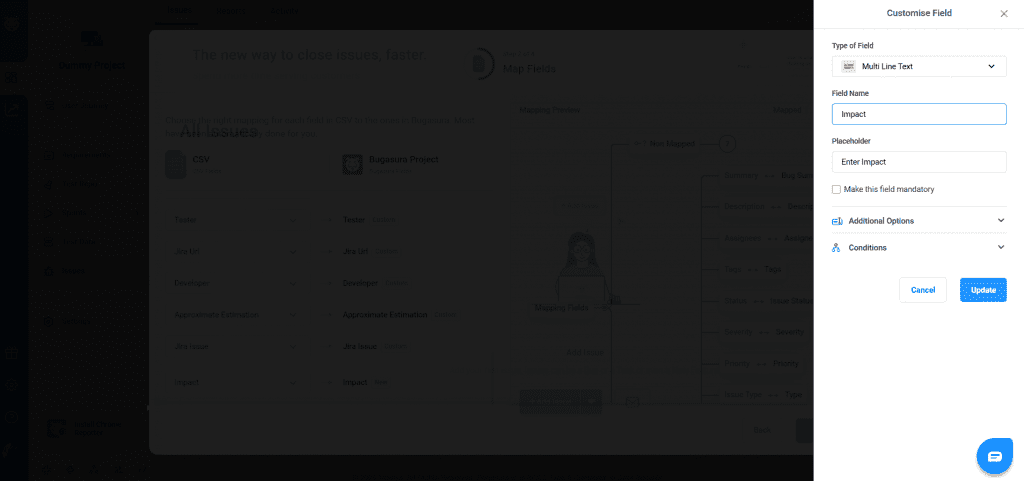
● Flexible Setup: Fields can still be edited if changes are required.
Usage
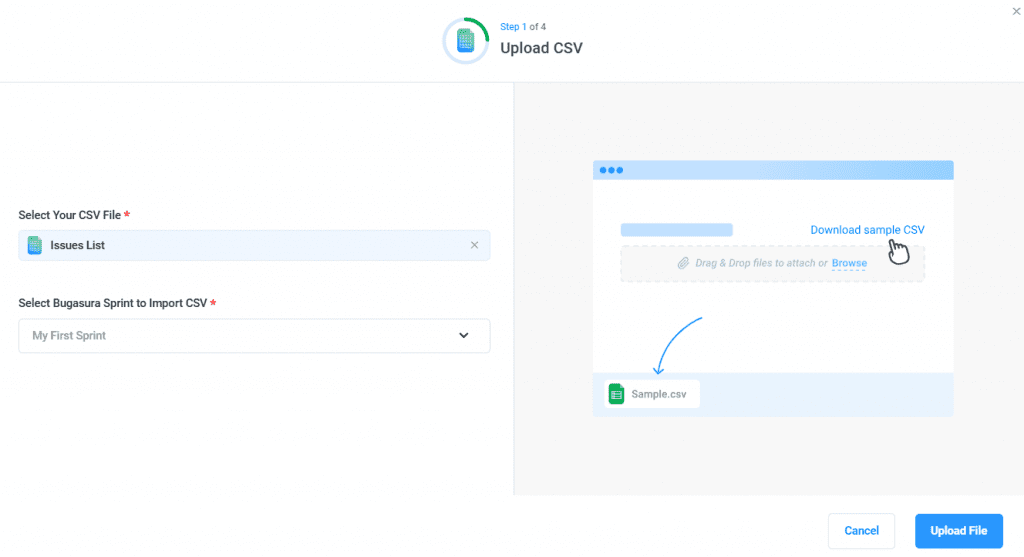
To get started, import issues into your project using JIRA, CSV, or Excel. During the field mapping step:
- Map existing issue fields as usual. Unmapped custom fields will be automatically created and labeled as New.
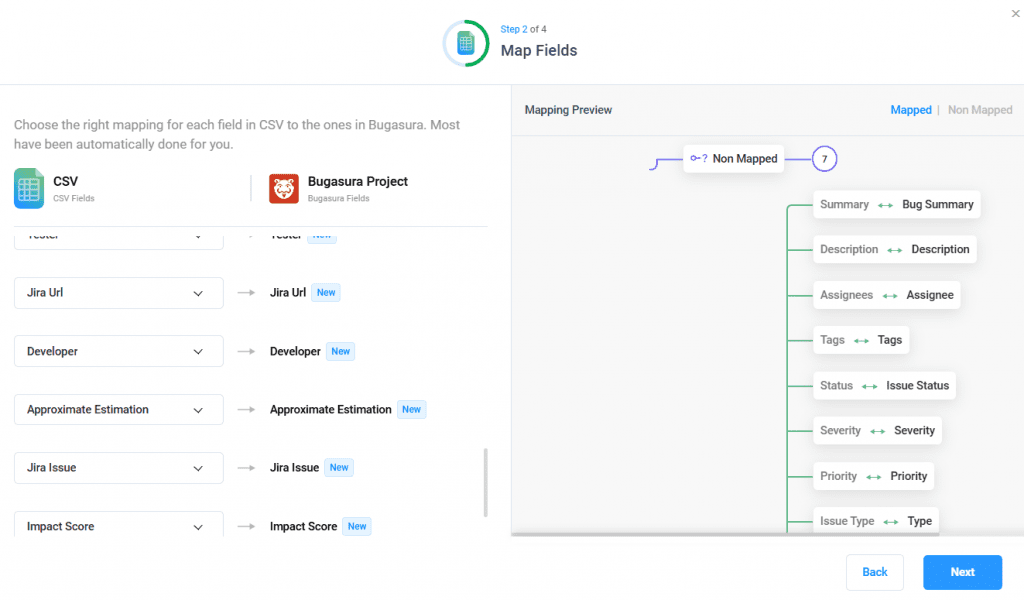
- Newly created fields can be edited but cannot be deleted during the import flow.